Law Firm Business Card Template
A Law Firm Business Card Template is a digital design that helps legal professionals create professional and visually appealing business cards. It provides a structured layout with pre-designed elements that can be customized to match your brand or personal style. Whether you're starting a new law practice, expanding your services, or simply looking for a fresh way to share your contact information, this template offers a quick and easy solution.
What You’ll Get
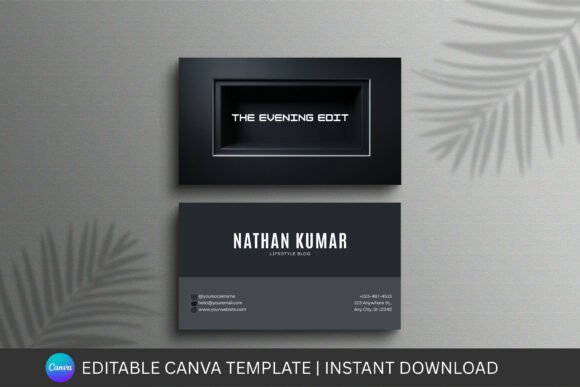
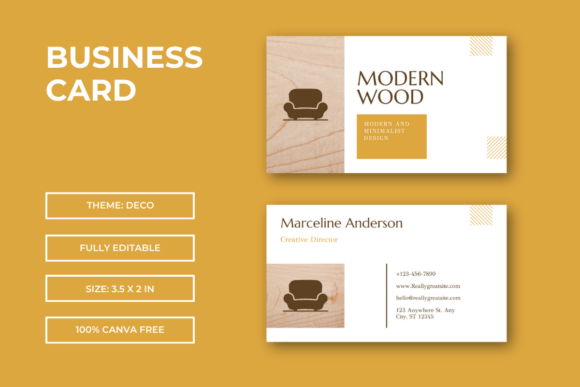
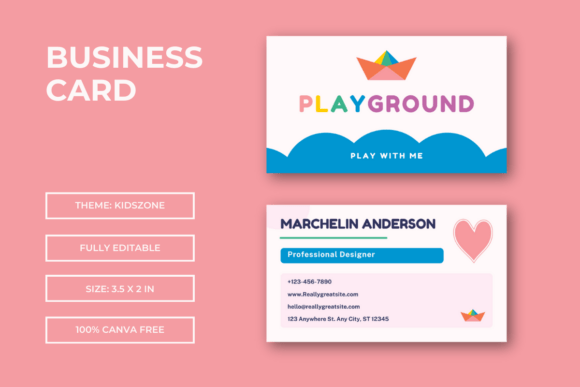
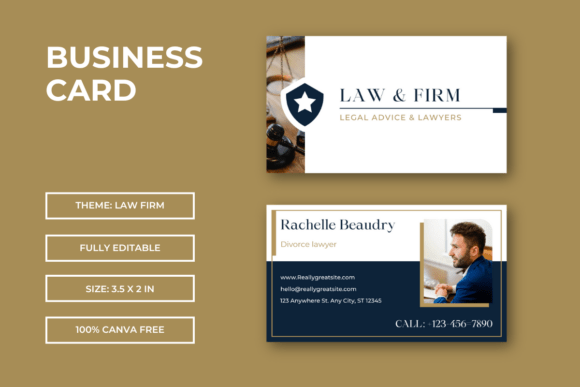
- Law Firm Business Card Template 2 Page Back Front – Includes both the front and back of the card, ensuring you have all the space needed for essential information.
- Sized at 3.5×2 in – The standard size for business cards, making it easy to print and use in everyday situations.
- Modern, eye-catching professional designs – Designed to stand out while maintaining a polished and trustworthy appearance.
- 100 Editable in Canva Free – Customize the template using Canva’s user-friendly tools without needing any special software.
- Simply drag drop your images and edit the text – Make changes quickly and easily, even if you have no design experience.
- Perfect for businesses, education, promotions, and personal branding – Suitable for a wide range of uses, from networking events to marketing campaigns.
This template was made by Canva, so you don’t need to install any software. All you need is a web browser to access and edit the design. After purchase, you’ll receive a PDF containing a link to open the templates in Canva. From there, you can make adjustments and download the final version for printing.
Why Use a Law Firm Business Card Template?
Creating a business card from scratch can be time-consuming and challenging, especially if you’re not familiar with design tools. A Law Firm Business Card Template simplifies the process by providing a ready-made structure that you can customize. This is particularly useful for busy professionals who want to focus on their work rather than the design details.
For small business owners and solo practitioners, these templates offer a cost-effective way to maintain a professional image. They eliminate the need to hire a designer or spend hours learning complex software. Instead, you can make quick edits and produce high-quality cards in minutes.
Entrepreneurs and marketers also benefit from these templates when promoting their services. A well-designed business card can make a strong first impression and help build trust with potential clients. Whether you’re attending a conference, meeting a client, or handing out cards at an event, having a professional-looking card can make a big difference.
How to Use the Template
The Law Firm Business Card Template is ideal for a variety of scenarios. Here are some practical examples:
- Networking Events – Hand out cards to connect with other professionals and potential clients.
- Client Meetings – Provide a card as a reminder of your contact information and services.
- Online Presence – Include your card in email signatures, social media profiles, or website footers.
- Marketing Materials – Use the template as part of a broader branding strategy for flyers, brochures, or ads.
You can also use the template for personal branding. Lawyers, consultants, and educators often use business cards to establish credibility and make it easier for people to reach out. With the right design, your card can reflect your professionalism and unique style.
Things to Consider Before Using the Template
Before downloading and using the Law Firm Business Card Template, there are a few important factors to keep in mind:
- Design Preferences – Choose a template that aligns with your brand colors, fonts, and overall aesthetic.
- Content Clarity – Ensure that your name, title, contact information, and any relevant logos or icons are clearly visible.
- Printing Options – Decide whether you’ll print the cards at home or through a professional service. Some templates may require specific paper types or finishes.
- Legal Requirements – If you’re representing a law firm, make sure your card includes all necessary information such as the firm’s name, address, and any required disclaimers.
Also, remember that the images used in the preview are for demonstration purposes only. You’ll need to add your own images or choose from Canva’s library when customizing the template.
Getting Started with the Template
If you’re new to Canva, the process is straightforward. Once you’ve purchased the template, you’ll receive a PDF with a link to open it in Canva. From there, you can start editing by dragging and dropping elements, changing fonts, and adjusting colors. You can save your work at any time and download the final version in the desired format.
For those who prefer a hands-on approach, the template allows for complete customization. You can add your logo, update your contact details, and even experiment with different layouts until you find the perfect design. This flexibility makes it a great choice for both beginners and experienced users.