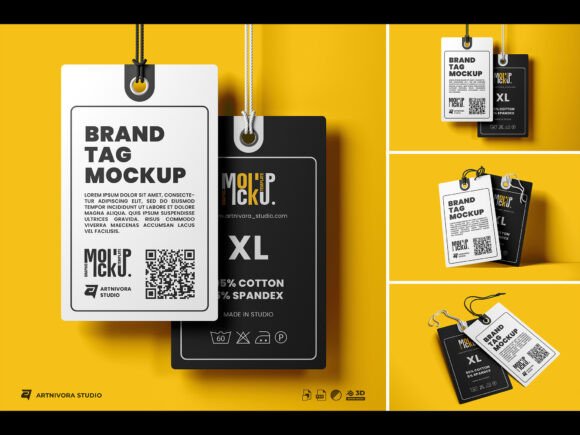
Brand Tag Mockup Sets – Realistic Clothing Label Hangtag PSD Templates
Brand Tag Mockup Sets are a powerful tool for anyone looking to showcase their design work in a professional and realistic way. These high-quality PSD templates allow you to present your clothing labels, hangtags, and branding elements with precision and clarity. Whether you're a designer, entrepreneur, or marketer, these mockups help you visualize how your final product will look in real-world settings.
One of the standout features of Brand Tag Mockup Sets is their compatibility with Adobe Photoshop CC. This means you can easily edit and customize your designs using smart objects. Simply drag and drop your artwork into the template, and watch it come to life with realistic textures and perspectives. The process is straightforward, even for those who are new to design software.
Key Features of Brand Tag Mockup Sets
Brand Tag Mockup Sets come packed with features that make them both versatile and user-friendly. Here are some of the most valuable aspects:
- High-Resolution Quality: Each template is created at 4K resolution (4000 x 6000 pixels) with a 300 dpi quality, ensuring crisp and clear visuals for any use.
- Easy Editing via Smart Objects: Edit your designs quickly without altering the original file. Just replace the smart object with your own artwork.
- Well-Organized Layers and Folders: The files are structured for easy navigation, making it simple to locate and adjust specific elements like colors, shadows, and backgrounds.
- Customizable Elements: Adjust object, background, and texture colors to match your brand’s aesthetic. Everything is fully editable, giving you complete control over the final look.
- Automatic Background Perspective: The templates automatically adjust the background to match the angle of your design, creating a natural and realistic presentation.
Why Use Brand Tag Mockup Sets?
Brand Tag Mockup Sets are ideal for a variety of creative and commercial purposes. They help you demonstrate your work in a way that's both professional and engaging. Here are some common scenarios where they can be incredibly useful:
- Product Presentation: Use them to showcase your clothing labels or hangtags to clients, manufacturers, or investors. A realistic mockup makes it easier for others to understand your vision.
- Portfolio Development: Add mockups to your design portfolio to show off your work in context. This can help attract potential clients or employers.
- Marketing Materials: Create promotional images for social media, websites, or print materials. High-quality mockups enhance the visual appeal of your marketing content.
- Client Communication: Share mockups with clients to get feedback before finalizing a design. This reduces misunderstandings and streamlines the approval process.
For beginners, Brand Tag Mockup Sets offer an accessible way to learn about design presentation. You don’t need advanced skills to create professional-looking visuals. The included user guide PDF provides step-by-step instructions, making it easy to get started.
How to Use Brand Tag Mockup Sets
Using Brand Tag Mockup Sets is simple and intuitive. Start by opening one of the three provided PSD files in Adobe Photoshop. Locate the smart object layer that represents your design area. Double-click on the smart object to open it in a new window, then paste or place your artwork there. Once you’re satisfied, close the smart object window, and the changes will update automatically in the main file.
You can also experiment with different color schemes, textures, and backgrounds to find the best fit for your project. The ability to separate objects from the background ensures that your design remains clean and flexible, no matter how you choose to present it.
Considerations Before Using Brand Tag Mockup Sets
While Brand Tag Mockup Sets are highly functional, there are a few things to keep in mind before getting started:
- Software Requirements: Make sure you have Adobe Photoshop CC or a compatible version installed. Some features may not work properly in older versions.
- Design Files: The templates do not include fonts or design elements used in the preview images. You’ll need to source these separately or use your own assets.
- File Management: Keep your layers and folders organized as you work. This helps prevent confusion, especially when making multiple edits.
- Resolution and Output: If you plan to print your designs, ensure that the final output meets the required resolution and color specifications.
By taking these factors into account, you can maximize the effectiveness of Brand Tag Mockup Sets and avoid common pitfalls.
Real-World Applications of Brand Tag Mockup Sets
Brand Tag Mockup Sets are not limited to just clothing labels. They can be adapted for a wide range of applications, including:
- Branding Projects: Use them to visualize logos, tags, or packaging for a new brand launch.
- Online Stores: Create eye-catching product images for e-commerce platforms like Etsy, Shopify, or Amazon.
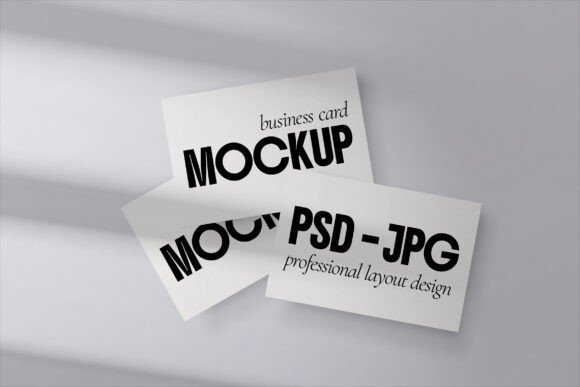
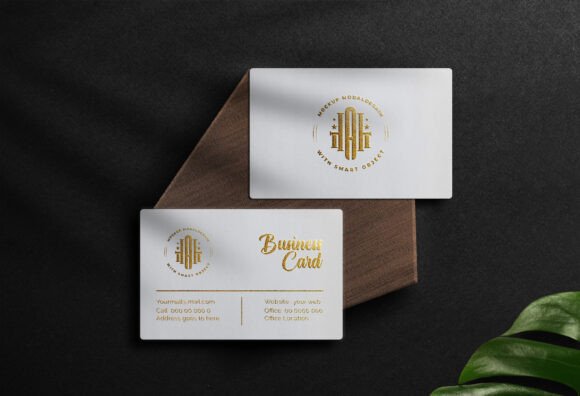
- Printed Materials: Design business cards, brochures, or posters that feature branded elements.
- Educational Purposes: Teach students or colleagues about design presentation and visual storytelling.
Whether you're working on a personal project or a commercial venture, Brand Tag Mockup Sets provide a reliable and efficient way to bring your ideas to life.