Paper Texture Business Card Mockups: A Practical Guide for Designers and Businesses
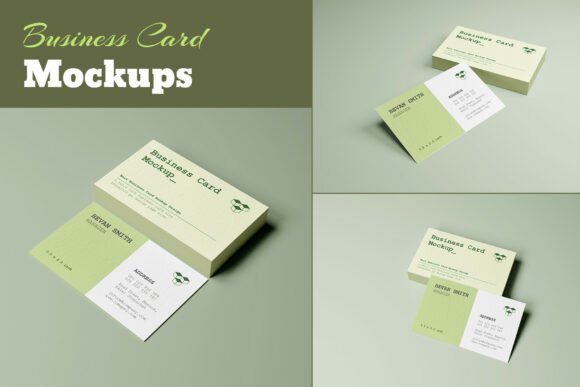
For professionals looking to present their brand in a tangible, high-quality format, paper texture business card mockups offer a compelling solution. These mockups allow designers and businesses to visualize how their final product will look before printing. Unlike generic digital templates, paper texture mockups incorporate realistic textures, lighting, and depth to simulate the feel of physical cards. This makes them ideal for presentations, client reviews, or internal design approvals.
Key Features of Paper Texture Business Card Mockups
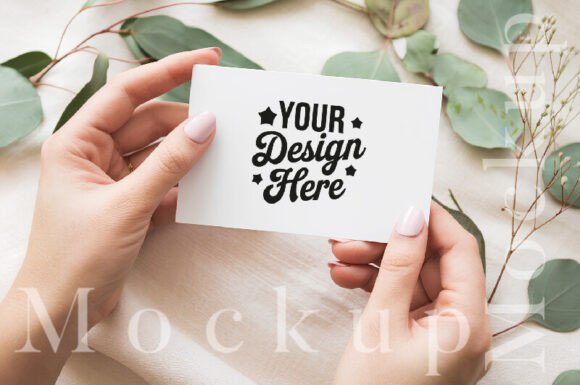
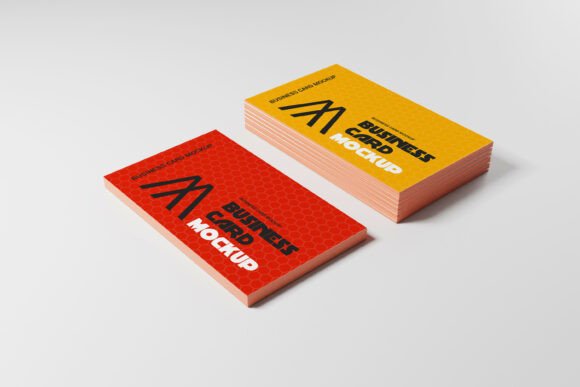
The most valuable paper texture business card mockups come with several essential features that enhance usability and flexibility. One of the standout aspects is the changeable background. This allows users to adapt the mockup to different environments, such as a desk, a table, or a professional setting. The ability to switch backgrounds ensures that the card’s design remains the focal point while providing context for how it might appear in real-world scenarios.
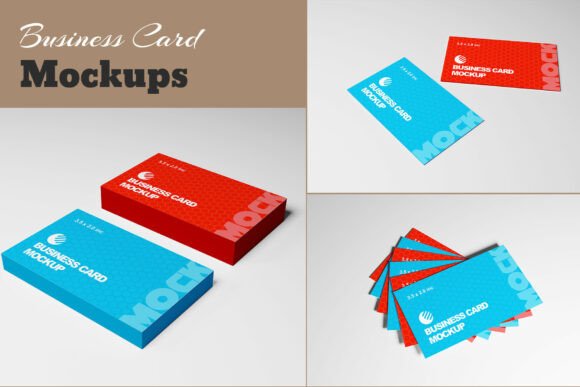
These mockups are often provided as 8 Photoshop PSD files, which gives users full control over every element of the design. Each file is typically set to a standard 3.5 x 2.0 inch card size, ensuring compatibility with common printing standards. The resolution of these files is usually 3000px x 2000px, which provides high clarity and detail when viewed on screens or printed at larger sizes.
A major advantage of quality paper texture business card mockups is that they are fully organized with editable layers. This means that users can easily adjust elements like text, graphics, or color schemes without affecting other parts of the design. The presence of an instructions PDF further simplifies the process, especially for those who may not be familiar with advanced Photoshop features.
How Paper Texture Business Card Mockups Compare to Other Options
When compared to other types of business card mockups, paper texture versions stand out for their realism and versatility. Digital mockups that lack texture may appear flat or unrepresentative of the final product. In contrast, paper texture mockups add a tactile dimension that helps stakeholders better understand the visual and material qualities of the card.
Some alternatives, such as vector-based mockups or 3D renderings, may offer different benefits. Vector mockups are often easier to scale and edit, but they may not capture the nuanced details of paper textures. 3D renderings can provide dynamic views, but they may require more technical expertise to create and modify. Paper texture mockups, on the other hand, strike a balance between realism and ease of use.
Another consideration is the availability of editable backgrounds. Some mockups may only offer a single background option, limiting the ability to showcase the card in different contexts. The all PSD background editable feature found in many paper texture mockups allows for greater customization and adaptability, making them more suitable for diverse marketing needs.
Strengths and Tradeoffs of Using Paper Texture Business Card Mockups
The primary strength of paper texture business card mockups lies in their ability to mimic real-world conditions. This is particularly useful for designers who want to test how a card will look in different lighting or against various surfaces. It also helps clients get a clearer sense of the final product, reducing the likelihood of last-minute changes during the printing phase.
However, there are tradeoffs to consider. For instance, creating a high-quality paper texture mockup requires a certain level of design skill, especially when working with Photoshop. Users who are not familiar with layer management or texture blending may find the process time-consuming. Additionally, the reliance on specific software like Photoshop means that some users may need to invest in the necessary tools or training.
Another potential limitation is the file size. With a resolution of 3000px x 2000px, these files can be large, which may affect performance on older computers or slower internet connections. That said, many providers optimize their files to ensure they remain manageable without sacrificing quality.
When Paper Texture Business Card Mockups Are the Right Choice
Paper texture business card mockups are particularly well-suited for professionals who value realism and precision in their design presentations. If you're working on a project that involves custom branding, creative agencies, or small businesses aiming to make a strong first impression, these mockups can be a valuable asset.
They are also beneficial when working with clients who are not familiar with design software. By providing a visually rich and realistic representation of the final product, you can help bridge the communication gap and ensure that everyone is aligned on the vision.
Additionally, if your workflow includes multiple design iterations, the ability to quickly change backgrounds and adjust elements within the PSD files can save time and improve efficiency. This is especially true for teams that need to review and approve designs across different departments or stakeholders.
When Alternative Options Might Be More Suitable
While paper texture business card mockups offer many advantages, there are situations where other options may be more appropriate. For example, if you're working on a tight deadline and need a quick preview, a simple digital mockup or a flat design template could suffice. These alternatives often require less setup and can be shared more easily without the need for specialized software.
Users who prefer non-Photoshop tools may also benefit from exploring other formats. Some platforms offer mockups that work with programs like Canva, Adobe Illustrator, or even mobile apps. These alternatives can be more accessible for users who don't have access to Photoshop or who prefer a more streamlined workflow.
Furthermore, if your focus is on digital branding rather than physical cards, you may not need a paper texture mockup at all. In such cases, a simple image or graphic that represents the card’s design could be sufficient for online presentations or social media sharing.
Realistic Use Cases and Practical Comparisons
Consider a scenario where a designer is preparing a pitch for a new client. Using a paper texture business card mockup allows them to show the client how the card will look in different settings, such as on a business desk or in a wallet. This level of detail can help the client envision the product more effectively than a basic digital image.
In contrast, a freelance graphic designer working on a low-budget project may opt for a simpler mockup. They might choose a flat design template that can be created quickly and shared via email. While this approach lacks the realism of a paper texture mockup, it meets the immediate needs of the project without unnecessary complexity.
Another practical comparison involves a marketing team that needs to create multiple variations of a business card. With a paper texture mockup that has an editable background, they can produce different versions for different campaigns or audiences. This flexibility can be a significant advantage over static mockups that require rework for each new version.